
The definitive 2026 reference for robots.txt and AI crawlers — configure GPTBot, ClaudeBot, and PerplexityBot to maximize AI search visibility.
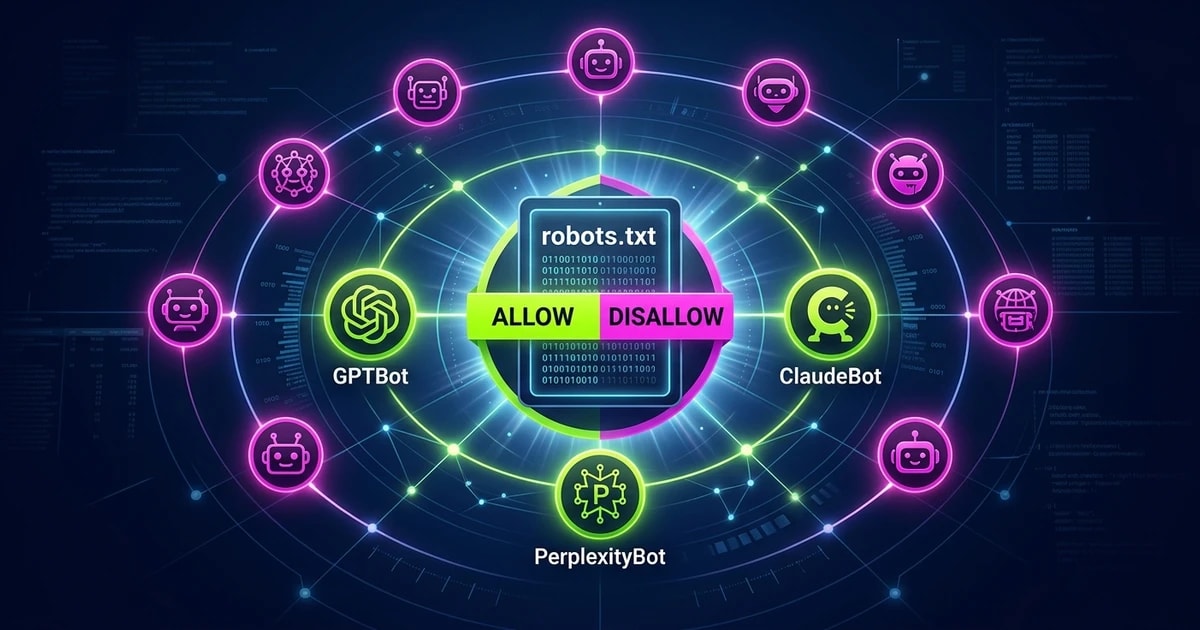
Disallow: / under these user-agents means ChatGPT and Claude cannot crawl your site — so they cannot cite it.app/robots.ts file generates a valid robots.txt at build time — no manual file editing or deployment steps needed.Your robots.txt file is the single most important file for AI search visibility. It is checked before any other page on your site. If it blocks GPTBot or ClaudeBot, your content does not appear in ChatGPT or Claude responses — not because of a content quality problem, but because the crawler was never allowed in. This guide covers every AI crawler active in 2026, gives you three complete configuration templates, and shows you how to implement the right configuration in Next.js.
Ten AI crawlers now matter for search visibility and training data. Understanding who operates each one — and what it is used for — determines which ones you want to allow and which ones you might want to restrict.
| Bot Name | User-Agent | Operator | Purpose |
|---|---|---|---|
| GPTBot | GPTBot |
OpenAI | ChatGPT training + Browse |
| ChatGPT-User | ChatGPT-User |
OpenAI | ChatGPT Browse real-time |
| anthropic-ai | anthropic-ai |
Anthropic | Claude training |
| ClaudeBot | ClaudeBot |
Anthropic | Claude Browse |
| PerplexityBot | PerplexityBot |
Perplexity AI | Perplexity search |
| CCBot | CCBot |
Common Crawl | AI training datasets |
| Google-Extended | Google-Extended |
Gemini training | |
| Amazonbot | Amazonbot |
Amazon | Alexa + Amazon AI |
| meta-externalagent | meta-externalagent |
Meta | Meta AI |
| Bytespider | Bytespider |
ByteDance | TikTok AI |
The two that matter most: GPTBot and ClaudeBot. ChatGPT and Claude are the AI assistants most likely to surface your site to a user. If either crawler is blocked, the corresponding assistant has no crawled version of your content to cite in its responses.
The training vs. browse distinction is the most important nuance in this table. GPTBot and anthropic-ai crawl your site to include it in model training datasets — the data that shapes what the model knows. ChatGPT-User and ClaudeBot are the live retrieval crawlers used when a user asks ChatGPT or Claude to browse the web in real time. These are separate user-agents with separate purposes, which means you can configure them independently.
CCBot deserves special attention. Common Crawl is a nonprofit that publishes its web crawl data openly. That data is used by academic researchers, AI startups, and foundation model teams to build training datasets. Blocking CCBot reduces your exposure across the broader AI training ecosystem, not just a single vendor's model.
This is the right configuration for the majority of sites — content marketing, SaaS, e-commerce, blogs, documentation. Allowing AI crawlers is how your content gets cited in AI-generated answers. Blocking them does not protect your content from being read by humans; it only prevents AI systems from surfacing it in response to relevant queries.
User-agent: GPTBot
Allow: /

User-agent: ChatGPT-User
Allow: /

User-agent: anthropic-ai
Allow: /

User-agent: ClaudeBot
Allow: /

User-agent: PerplexityBot
Allow: /

User-agent: CCBot
Allow: /

User-agent: Google-Extended
Allow: /

User-agent: Amazonbot
Allow: /

User-agent: meta-externalagent
Allow: /

User-agent: Bytespider
Allow: /

User-agent: *
Allow: /

Sitemap: https://yourdomain.com/sitemap.xml
You can also omit the explicit Allow: / rules entirely — if no rule exists for a user-agent, they are allowed by default. The explicit allow rules are useful when you want to make your intent clear in your source file, and when you are auditing the file later and want to confirm that each AI crawler was a deliberate choice.
What this achieves: All ten AI crawlers can index your content. ChatGPT, Claude, Perplexity, and Gemini can cite your pages. Your content enters Common Crawl's dataset and becomes available to the broader AI training ecosystem. For a content-driven site trying to build AI search visibility, this is the configuration that directly supports your GEO strategy.
This configuration is appropriate for sites with content that carries significant commercial or legal value in its raw form: paid research databases, premium industry reports, proprietary methodologies, legal documents, or financial data. If the text itself is the product, blocking training crawlers is a reasonable defensive posture.
User-agent: GPTBot
Disallow: /

User-agent: ChatGPT-User
Disallow: /

User-agent: anthropic-ai
Disallow: /

User-agent: ClaudeBot
Disallow: /

User-agent: PerplexityBot
Disallow: /

User-agent: CCBot
Disallow: /

User-agent: Google-Extended
Disallow: /

User-agent: Amazonbot
Disallow: /

User-agent: meta-externalagent
Disallow: /

User-agent: Bytespider
Disallow: /

User-agent: *
Allow: /

Sitemap: https://yourdomain.com/sitemap.xml
Note that the wildcard User-agent: * still allows traditional search crawlers (Googlebot, Bingbot). You are blocking AI-specific crawlers while preserving standard search engine indexing.
The trade-off is real: a full AI block means your site does not appear in ChatGPT answers, Claude responses, or Perplexity citations. If your business model depends on the content having value precisely because it is not freely synthesized by AI, this is the right call. If your business model depends on discoverability, it is not.
Important caveat: robots.txt only governs compliant crawlers. CCBot, in particular, has historically been inconsistent about respecting robots.txt directives. For truly sensitive content, authentication and server-side access control are more reliable than robots.txt alone.
This is the most nuanced configuration, and for many content publishers it is the right middle ground. The logic: you want to be cited when users ask ChatGPT or Claude a question in real time, but you do not want your content ingested into model training datasets without compensation or attribution.
The user-agents split cleanly:
# Allow real-time browse crawlers — these enable AI citation in live responses
User-agent: ChatGPT-User
Allow: /

User-agent: ClaudeBot
Allow: /

User-agent: PerplexityBot
Allow: /

# Block training crawlers — these feed model training datasets
User-agent: GPTBot
Disallow: /

User-agent: anthropic-ai
Disallow: /

User-agent: CCBot
Disallow: /

User-agent: Google-Extended
Disallow: /

# Block other AI scrapers with unclear citation benefit
User-agent: Amazonbot
Disallow: /

User-agent: meta-externalagent
Disallow: /

User-agent: Bytespider
Disallow: /

# Allow traditional search engines
User-agent: *
Allow: /

Sitemap: https://yourdomain.com/sitemap.xml
Does blocking GPTBot but allowing ChatGPT-User actually work? Yes — but with a nuance. ChatGPT's live browsing (ChatGPT-User) will retrieve and display your content in real-time responses. However, because GPTBot cannot crawl your site, your content is not in ChatGPT's training data. This means ChatGPT will not know about your site unless a user explicitly provides the URL or triggers a live browse. For well-linked sites that appear in Perplexity and Bing results, this is a minor limitation. For newer sites with less link equity, it is worth considering.
Next.js 13+ with the App Router has native support for robots.txt generation. Instead of maintaining a static file in the public/ directory, you define your robots configuration in TypeScript and Next.js generates the correct file at build time.
Create the file at app/robots.ts:
import { MetadataRoute } from 'next'

export default function robots(): MetadataRoute.Robots {
  return {
    rules: [
      // Allow all AI crawlers — recommended for content sites
      { userAgent: 'GPTBot', allow: '/' },
      { userAgent: 'ChatGPT-User', allow: '/' },
      { userAgent: 'anthropic-ai', allow: '/' },
      { userAgent: 'ClaudeBot', allow: '/' },
      { userAgent: 'PerplexityBot', allow: '/' },
      { userAgent: 'CCBot', allow: '/' },
      { userAgent: 'Google-Extended', allow: '/' },
      { userAgent: 'Amazonbot', allow: '/' },
      { userAgent: 'meta-externalagent', allow: '/' },
      { userAgent: 'Bytespider', allow: '/' },
      // Allow all other crawlers
      { userAgent: '*', allow: '/' },
    ],
    sitemap: `${process.env.NEXT_PUBLIC_SITE_URL}/sitemap.xml`,
  }
}
For the selective configuration (allow browse bots, block training bots):
import { MetadataRoute } from 'next'

export default function robots(): MetadataRoute.Robots {
  return {
    rules: [
      // Real-time browse — allow for citation visibility
      { userAgent: 'ChatGPT-User', allow: '/' },
      { userAgent: 'ClaudeBot', allow: '/' },
      { userAgent: 'PerplexityBot', allow: '/' },
      // Training crawlers — block to limit training data contribution
      { userAgent: 'GPTBot', disallow: '/' },
      { userAgent: 'anthropic-ai', disallow: '/' },
      { userAgent: 'CCBot', disallow: '/' },
      { userAgent: 'Google-Extended', disallow: '/' },
      { userAgent: 'Amazonbot', disallow: '/' },
      { userAgent: 'meta-externalagent', disallow: '/' },
      { userAgent: 'Bytespider', disallow: '/' },
      // Allow traditional search engines
      { userAgent: '*', allow: '/' },
    ],
    sitemap: `${process.env.NEXT_PUBLIC_SITE_URL}/sitemap.xml`,
  }
}
Delete any existing public/robots.txt if you are migrating to app/robots.ts. Next.js will serve the dynamically generated file at /robots.txt automatically. Having both files will cause conflicts.
Verify the output by visiting https://yourdomain.com/robots.txt after deployment. You should see the plain-text output matching your configuration.
The relationship between your robots.txt file and your visibility in AI-generated answers is direct and immediate for browse-mode crawlers, and delayed but real for training-based visibility.
Real-time retrieval (immediate effect): When a user asks Perplexity a question, Perplexity crawls the web live and surfaces pages from current crawl results. If PerplexityBot is blocked, your pages do not appear in those results regardless of how relevant they are. The same applies to ChatGPT's browsing feature (ChatGPT-User) and Claude's web search feature (ClaudeBot). Unblocking these crawlers has an effect within days to weeks, as recrawl cycles refresh their index.
Training data (longer lag): GPTBot and anthropic-ai crawl sites to build the datasets used to train future model versions. If these crawlers are blocked today, your content is absent from the next training run. The impact is harder to measure — models do not cite their training sources directly — but sites with strong training data coverage tend to have better baseline familiarity in model responses, even without a live web search.
The practical implication: for sites trying to maximize AI citation in 2026, the highest-priority change is unblocking browse crawlers (ChatGPT-User, ClaudeBot, PerplexityBot). The training crawler decision (GPTBot, anthropic-ai, CCBot) is a secondary policy choice about your relationship to AI model development.
robots.txt tells AI crawlers which pages they can access. llms.txt tells them what to prioritize. The two files work together.
A well-configured robots.txt with a missing llms.txt means crawlers can access your entire site but have no guidance on which pages are authoritative, which are outdated, or what the site is about at a high level. For sites with hundreds of pages, this can result in AI models forming an incomplete picture of your content.
The complete guide to llms.txt covers the format, examples, and implementation in detail. The short version: create a file at /llms.txt that describes your site in one paragraph and lists your most important pages with one-line descriptions. It takes 20 minutes and meaningfully improves how AI models understand and represent your content.
Does every AI company respect robots.txt?
The major compliant crawlers — GPTBot (OpenAI), ClaudeBot and anthropic-ai (Anthropic), PerplexityBot (Perplexity), and Google-Extended (Google) — all publicly commit to robots.txt compliance. CCBot (Common Crawl) has historically been less consistent. Bytespider (ByteDance) compliance is less documented. For training data protection on truly sensitive content, robots.txt is a meaningful signal but not a technical enforcement mechanism — authentication is more reliable for content you genuinely need to protect.
What happens if I have User-agent: * Disallow: / and then add specific AI crawler allow rules?
Specific user-agent rules take precedence over the wildcard. If you have User-agent: * Disallow: / (blocking all crawlers) and then add User-agent: ClaudeBot Allow: /, ClaudeBot will be allowed and everything else will be blocked. This pattern is sometimes used on staging environments that need AI crawler access for testing while blocking other bots. Verify the output at your /robots.txt URL to confirm the rules render as expected.
Should I block AI crawlers to protect my content from being used without attribution?
This is a legitimate concern and the answer depends on your content strategy. If your goal is AI search visibility — appearing in ChatGPT, Claude, and Perplexity answers — blocking training crawlers will reduce your baseline model familiarity while allowing browse crawlers still enables citation in real-time responses. If your goal is to prevent your content from entering training datasets, blocking GPTBot, anthropic-ai, and CCBot is the right call, with the understanding that this reduces your long-term model coverage. Configuration 3 (allow browse, block training) is the middle path most content publishers choose.
How often should I review my robots.txt for new AI crawler user-agents?
At least twice a year. New AI products launch regularly, and each one typically introduces a new crawler user-agent. Following AI company developer blogs and checking resources like the Dark Visitors bot database (darkvisitors.com) keeps you current. When a major new AI assistant launches — as several did in 2025 — add their crawler to your configuration within the same quarter.
How do I test whether my robots.txt is correctly configured for AI crawlers?
Visit https://yourdomain.com/robots.txt and read the file directly. Alternatively, use seo.yatna.ai/tools/robots-checker to run an automated check — it tests all ten major AI crawlers against your current configuration and flags any that are inadvertently blocked or missing from your rules. The checker also validates the file syntax and confirms your sitemap directive is present.
Misconfigured robots.txt is the most common — and most fixable — cause of poor AI search visibility. Run your site through the seo.yatna.ai robots checker to see exactly which AI crawlers your current file allows and which it blocks. The check takes under ten seconds and gives you a line-by-line breakdown.
If you want to go deeper on AI search visibility beyond robots.txt, the AI Search Readiness Audit Guide covers schema, llms.txt, content structure, and E-E-A-T signals — the full picture of what it takes to get cited in AI-generated answers in 2026.
About the Author

Ishan Sharma
Head of SEO & AI Search Strategy
Ishan Sharma is Head of SEO & AI Search Strategy at seo.yatna.ai. With over 10 years of technical SEO experience across SaaS, e-commerce, and media brands, he specialises in schema markup, Core Web Vitals, and the emerging discipline of Generative Engine Optimisation (GEO). Ishan has audited over 2,000 websites and writes extensively about how structured data and AI readiness signals determine which sites get cited by ChatGPT, Perplexity, and Claude. He is a contributor to Search Engine Journal and speaks regularly at BrightonSEO.